交件指南
報名後交件指南 Post-Registration Submission Guide
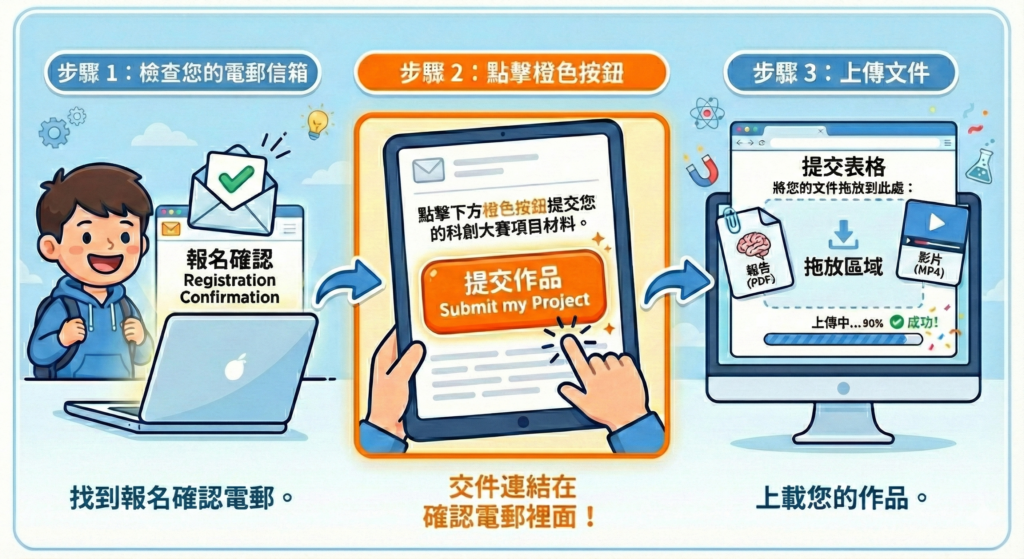
交件入口在哪裡?就在您的確認電郵裡!
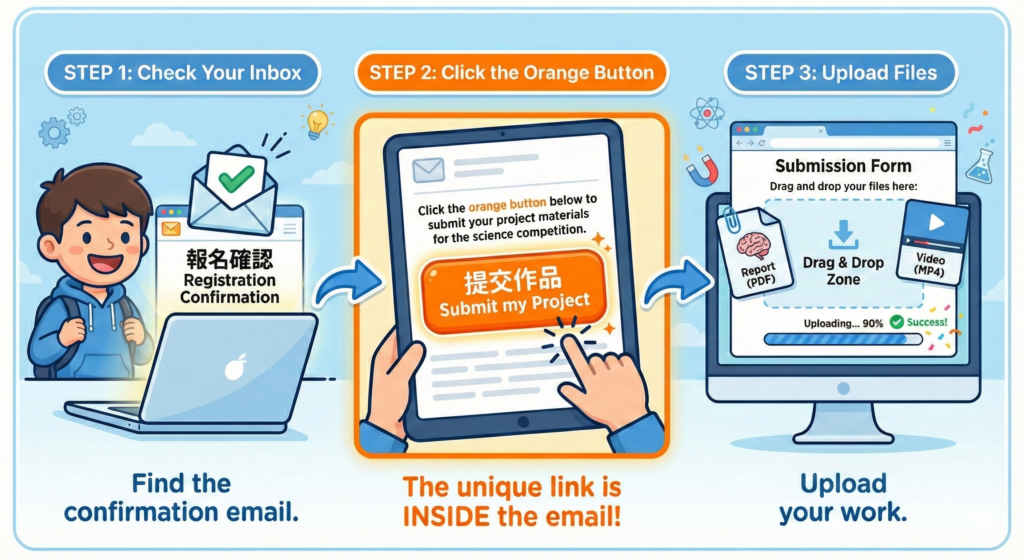
Where to submit? The link is inside your confirmation email!
1. 找出電郵 Find Email
- 請搜尋標題:「報名確認 Registration Confirmation」。
Search for the email subject: “Registration Confirmation”. - 提示:系統已寄至參賽者與導師信箱;如未收到請檢查垃圾郵件 (Spam)。
Note: Sent to student & supervisor; check Spam folder if missing.
2. 點擊按鈕 Click Button
- 信內有一個橙色按鈕,這是您的專屬上傳入口:
Inside the email, find the orange button (your unique upload link): 👉
[ 提交作品 Submit my Project ] - 若按鈕無效,請點擊下方的文字連結 (click here to submit)。
If the button fails, click the text link below it.
3. 上傳文件 Upload Files
- 進入表單後,請上傳以下文件 (以論文類為例):
Enter the form and upload the following (e.g., for Research Papers):- 作品簡介表 (Abstract Form)
- 報告 (Report) – 中英文皆可 (Chinese or English)
- 影片 (Video) – 限時 3 分鐘 (Max 3 mins)
⚠️ 重要須知 Important Notes
- 📅 截止 Deadline: 2026 年 1 月 27 日 (Tue) 23:59 HKT.
逾期自動取消資格。Late submissions will be disqualified. - 🔄 修改 Update: 截止前可隨時重新點擊按鈕提交;系統以最後一次為準。
Resubmission is allowed before the deadline; the system takes the last submission as final.