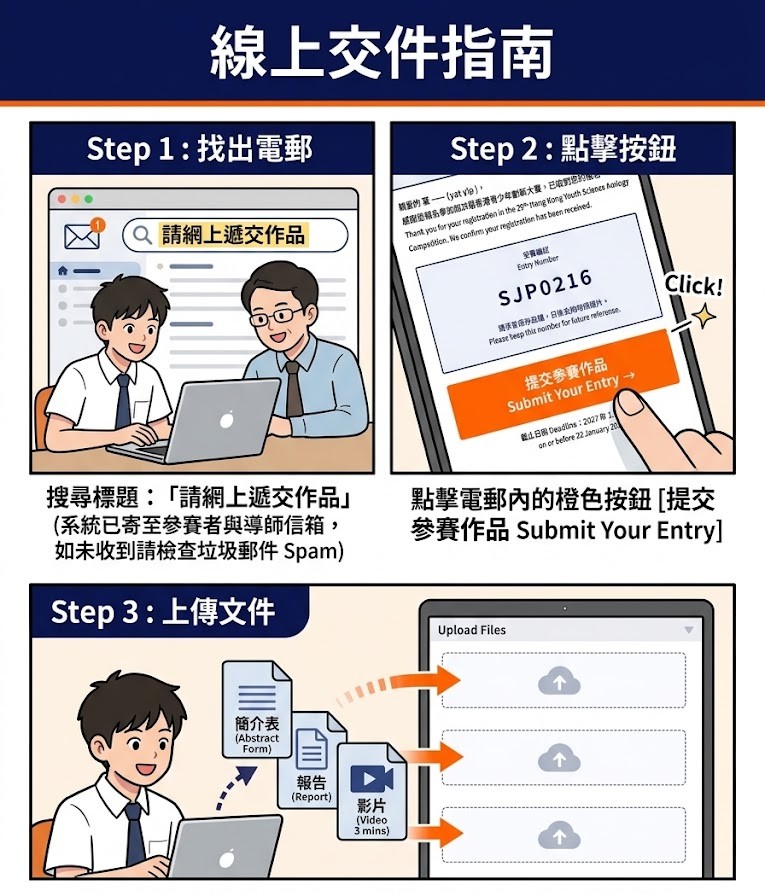
請搜尋標題:「請網上遞交作品」. Search for the email subject: “請網上遞交作品”.
提示:如未收到請檢查垃圾郵件 (Spam)。 Note: Check Spam folder if missing.
2. 點擊按鈕 Click Button
點擊電郵內的橙色按鈕👉[ 提交參賽作品 Submit Your Entry ] Inside the email, click the orange button👉 [ 提交參賽作品 Submit Your Entry ]
3. 上傳文件 Upload Files
進入表單後,請上傳報名賽項之所需文件(詳情請見Categories)。 Once in the form, please upload the required documents for your registered category (refer to ‘Categories‘ for details).
⚠️ 重要須知 Important Notes
📅 截止 Deadline:2027 年 1 月 22 日 (Fri) 23:59 HKT. 逾期自動取消資格。Late submissions will be disqualified.
🔄 修改 Update: 截止前可隨時重新點擊按鈕提交;系統以最後一次為準。 Resubmission is allowed before the deadline; the system takes the last submission as final.